
Getting started with STC Wholesale
Install and set up your wholesale page, then manage the order requests your stockists send you — all inside Shopify.
Installing & setting up your wholesale page
Click install and select create account.
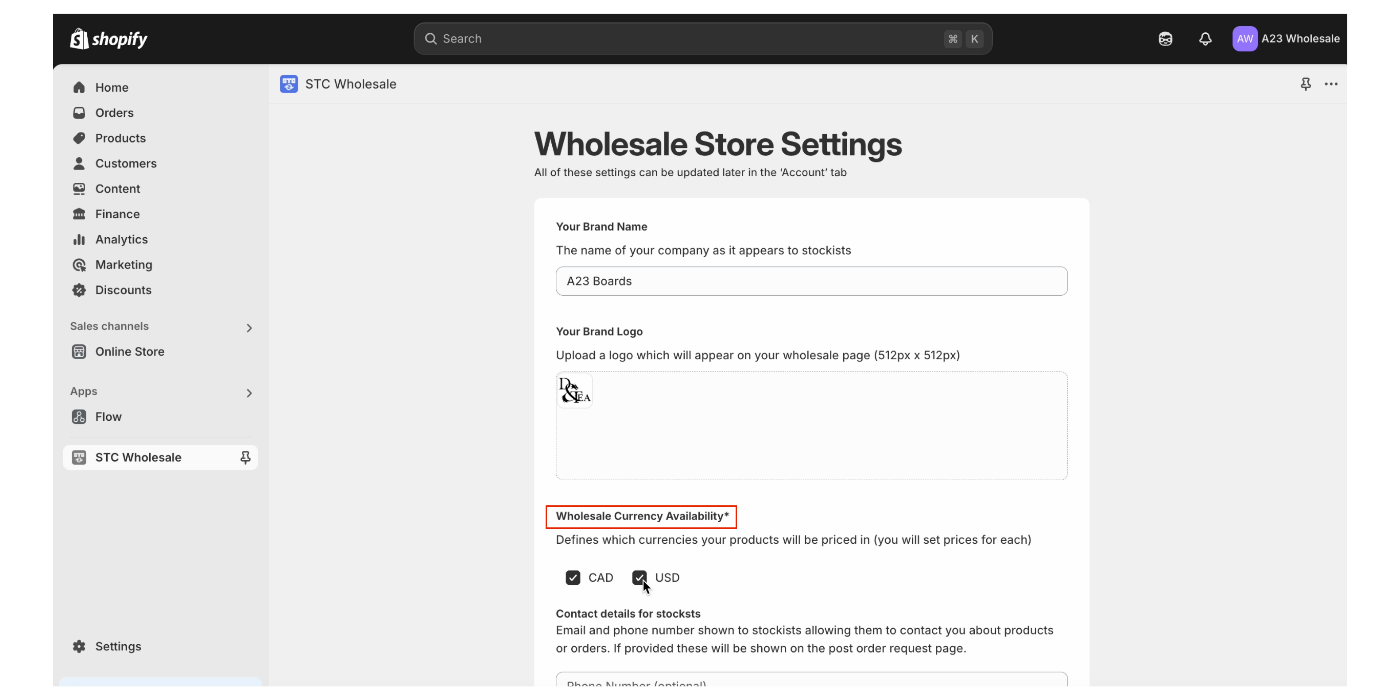
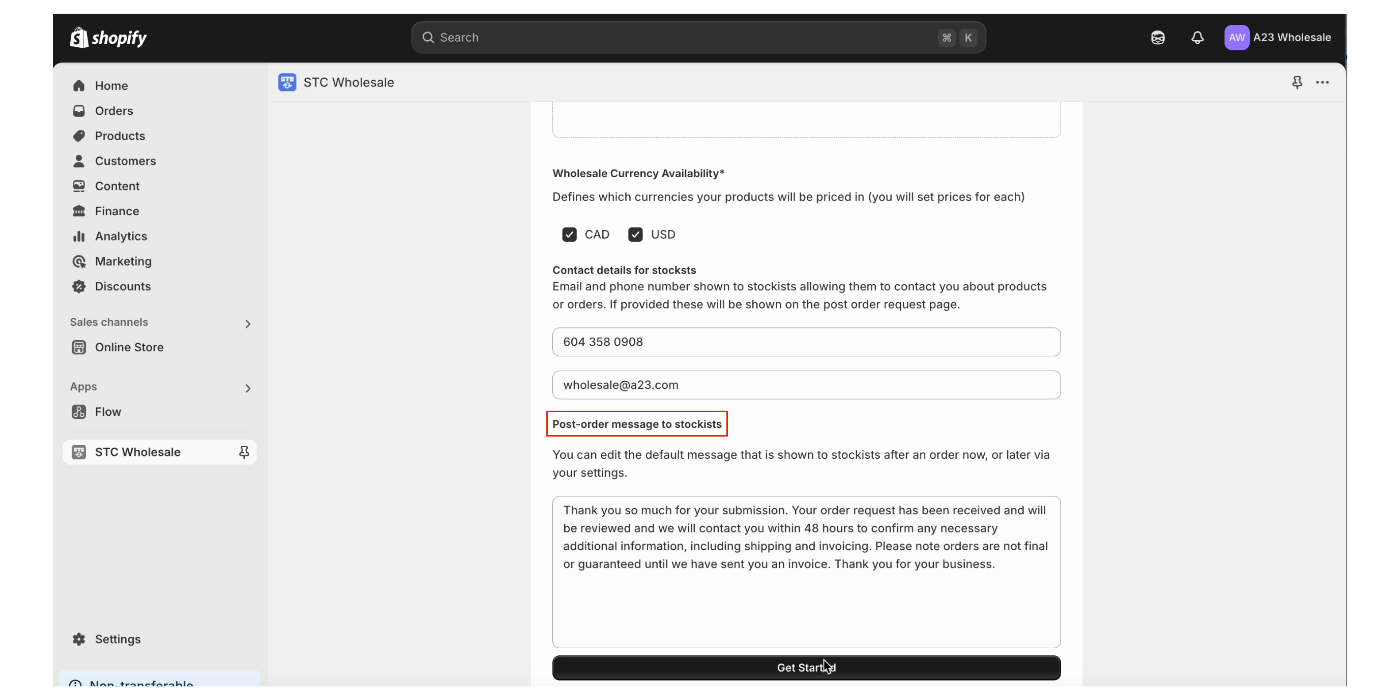
Fill in your wholesale store settings. Here you can set your store currency and edit your post-order message to stockists if necessary. Edits can also be made in the account tab at a later time.
Note: If setting up multiple currencies, make sure to first use Markets to set accurate retail/MSRP prices.
Select your preferred plan.
Install for free and don’t pay anything unless you’re getting orders!
Navigate to the products tab and select the collections and products you would like to make available for wholesale.
Select the items you want to make available and set your wholesale prices. If pricing in both CAD and USD, please enter wholesale prices for each currency.
Here, you can set delivery windows and the min and max order quantities for each item.
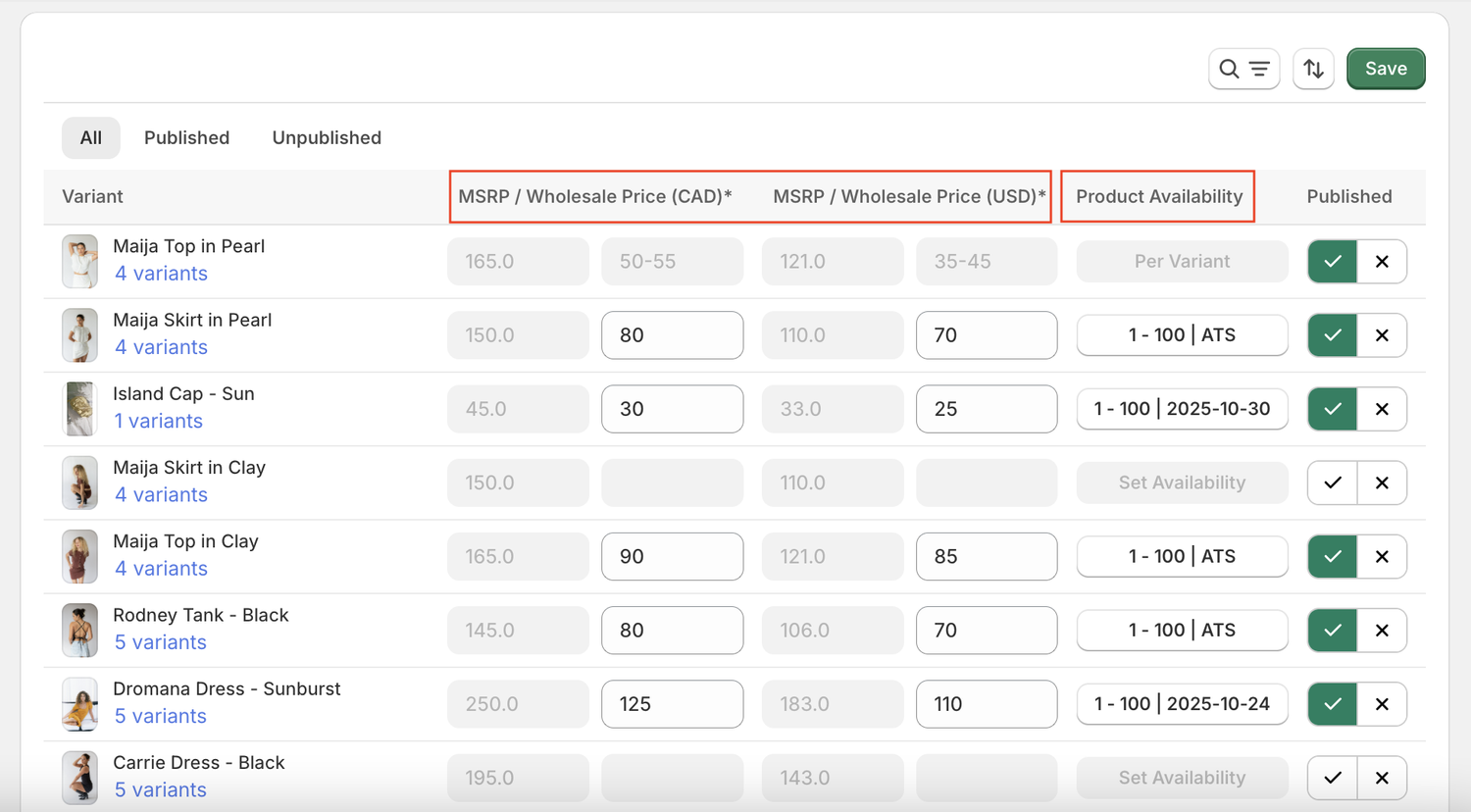
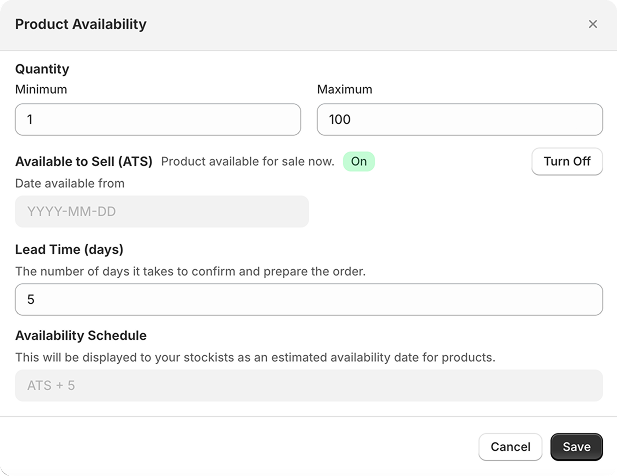
For items with multiple variants — click into the variants to set prices, order quantities, and delivery windows if they vary per variant.
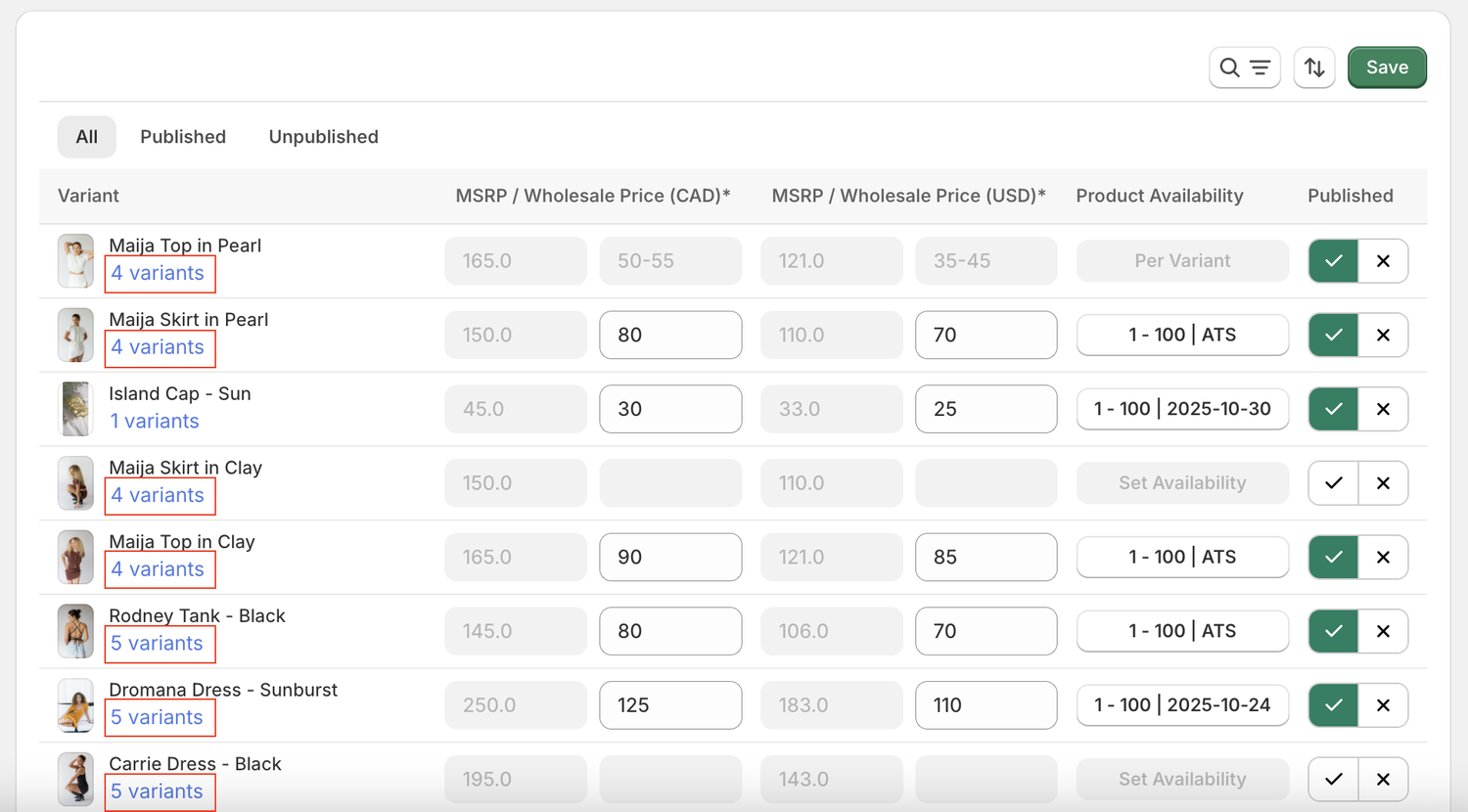
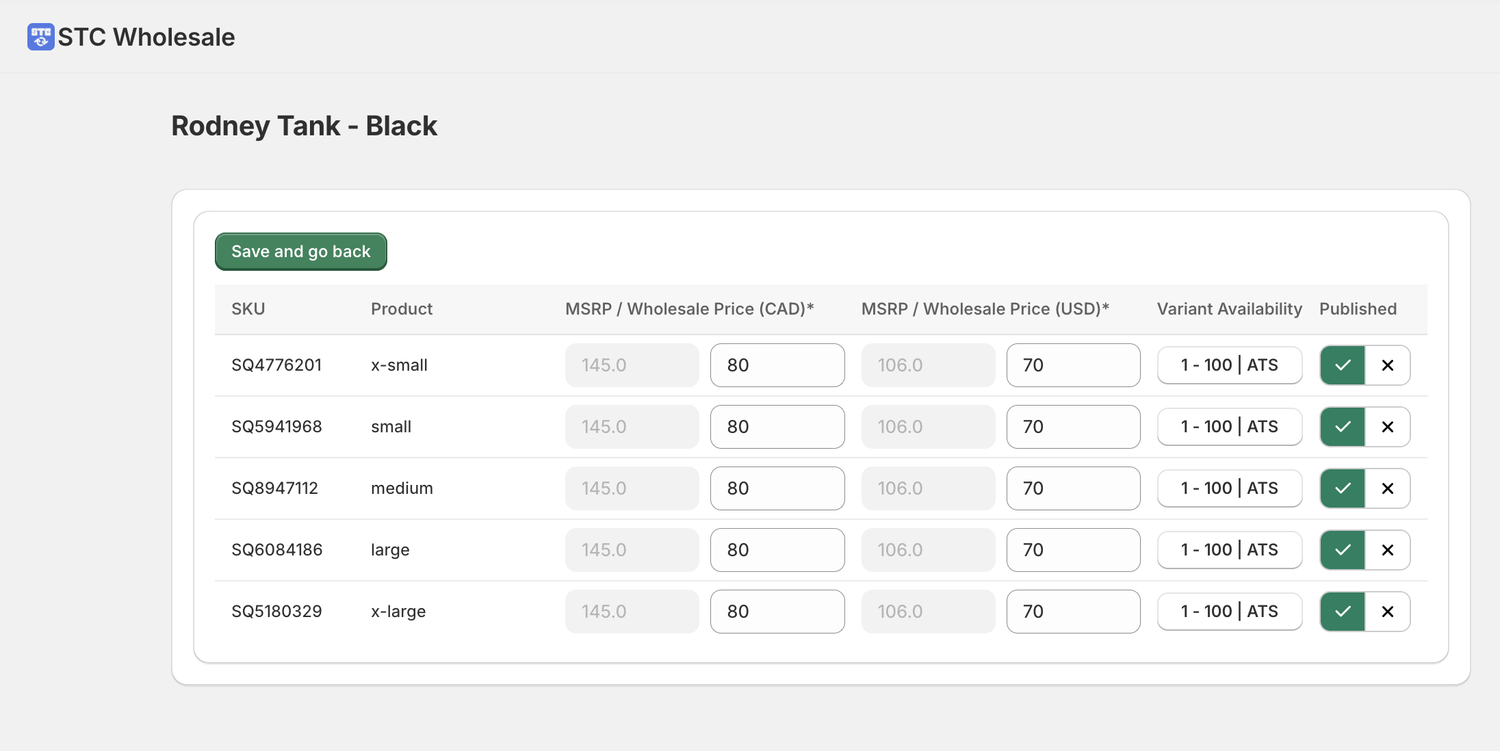
Make sure to click save after you make any changes!
Managing your order requests
Locate order request
Locate your order requests under the order requests tab.
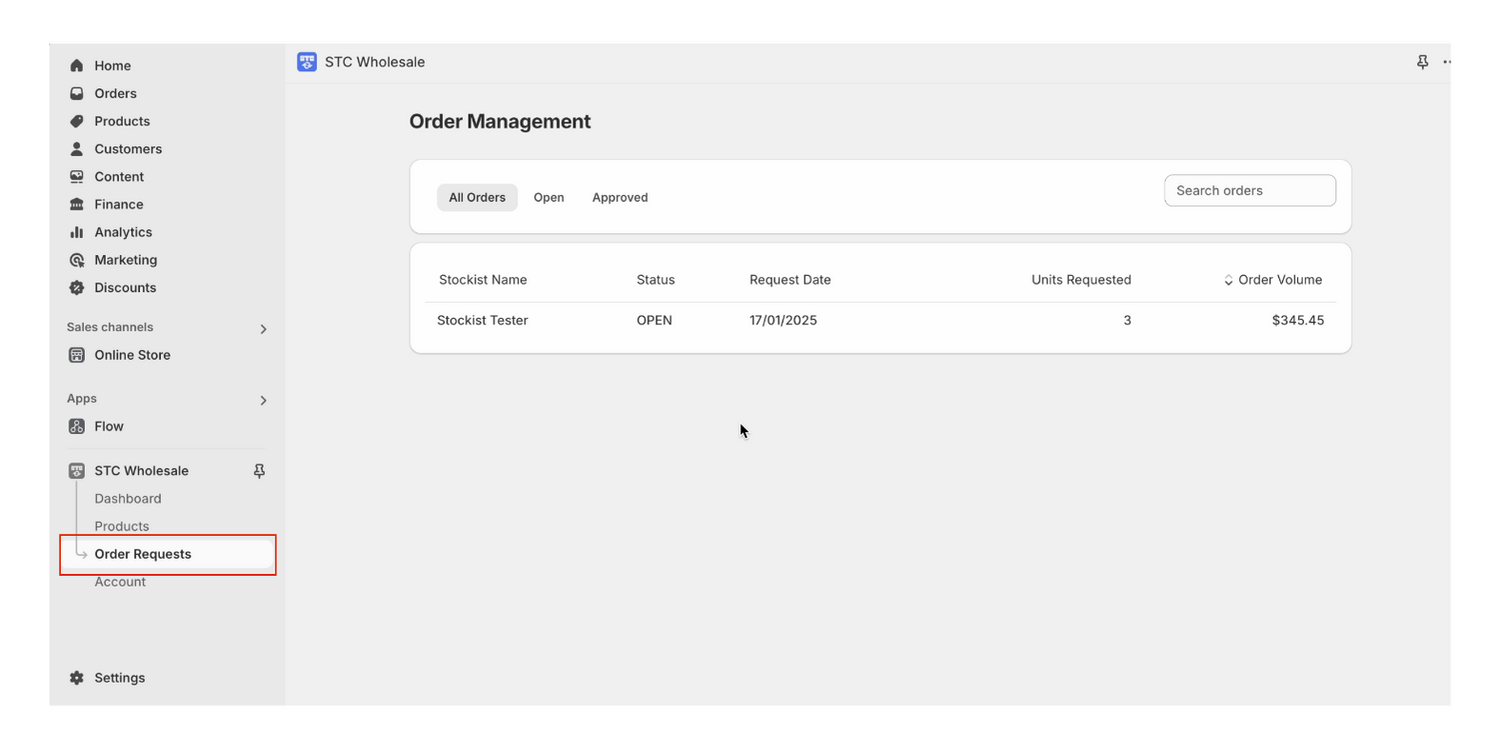
Details
Click into the order to see details of the requests.
Order status
Review your order, add taxes, shipping, discounts, etc and send invoices to stockists all inside Shopify!