
For stores
Getting your store set up on STC
Connect with Shop This City in just a few steps!
Step 1.
Install the free Shop This City app.
Note: You need to be signed into Shopify before you start.
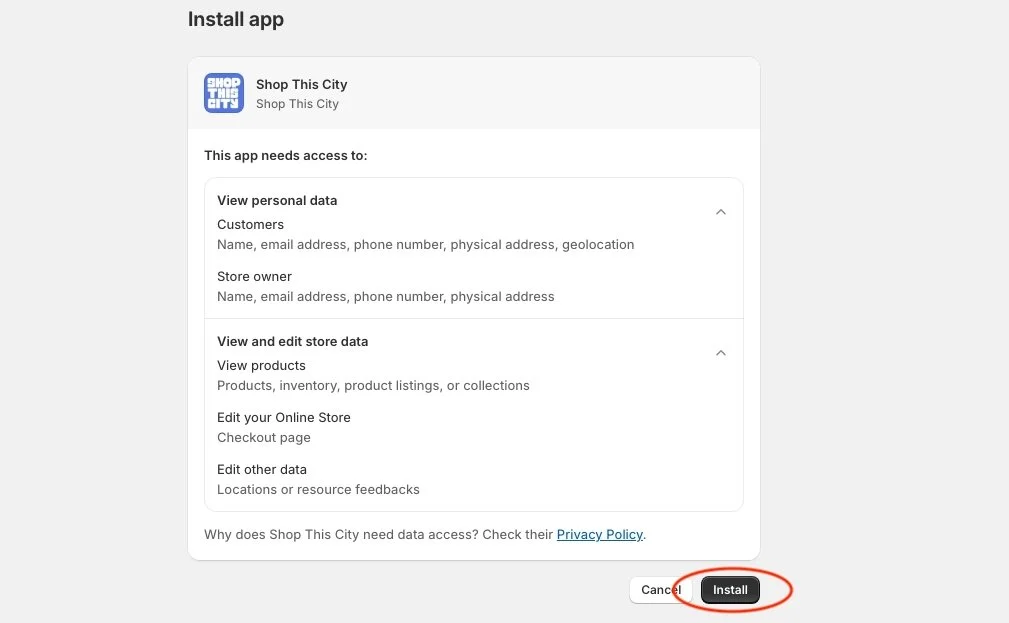
Step 2.
Click “Install App”.
Step 3.
Check boxes and click “Proceed”.
Step 4.
Click “Connect”.
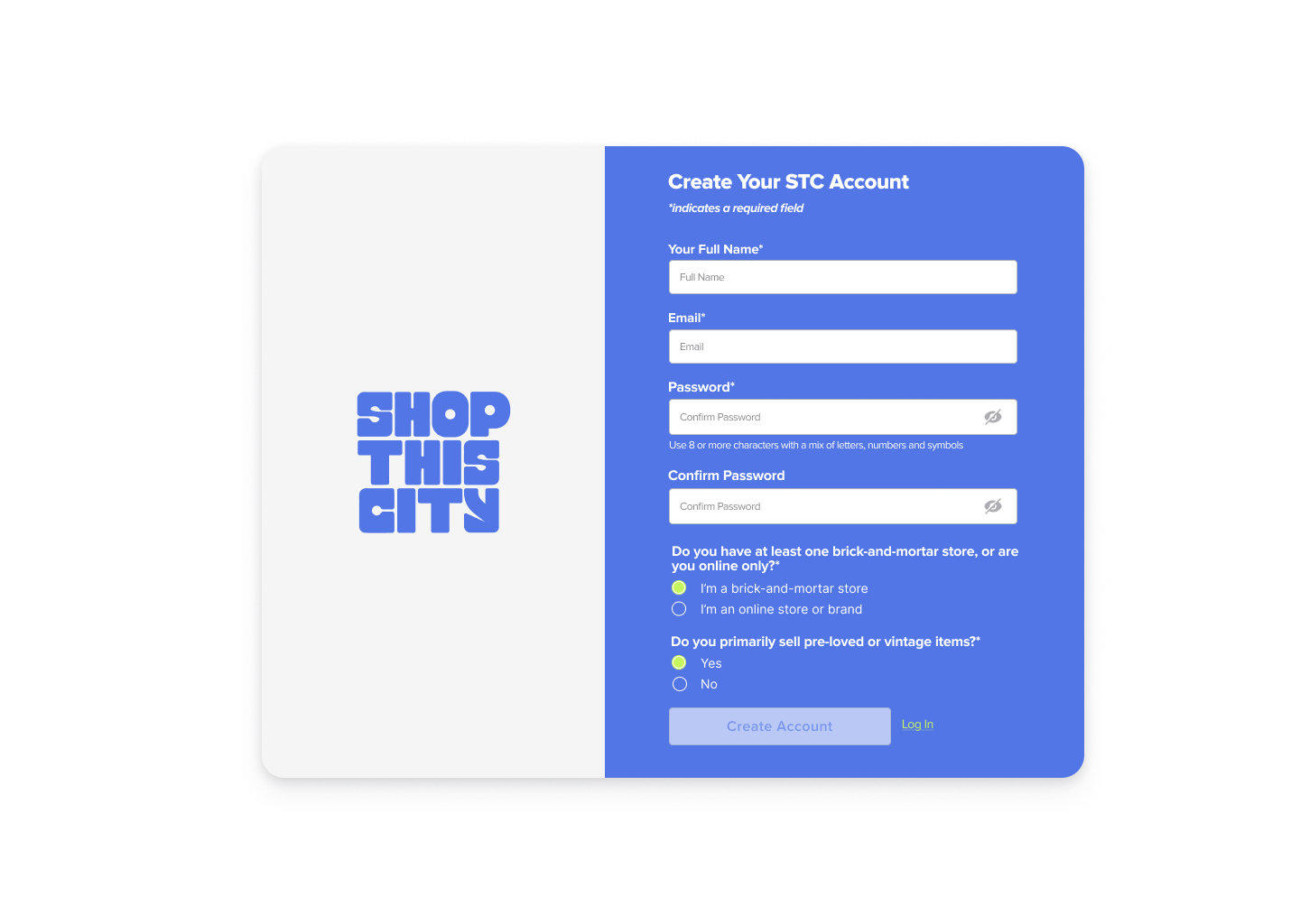
Step 5.
When the ‘Create Your STC Account’ pop-up appears, fill in all the fields and click ‘Create Account’.
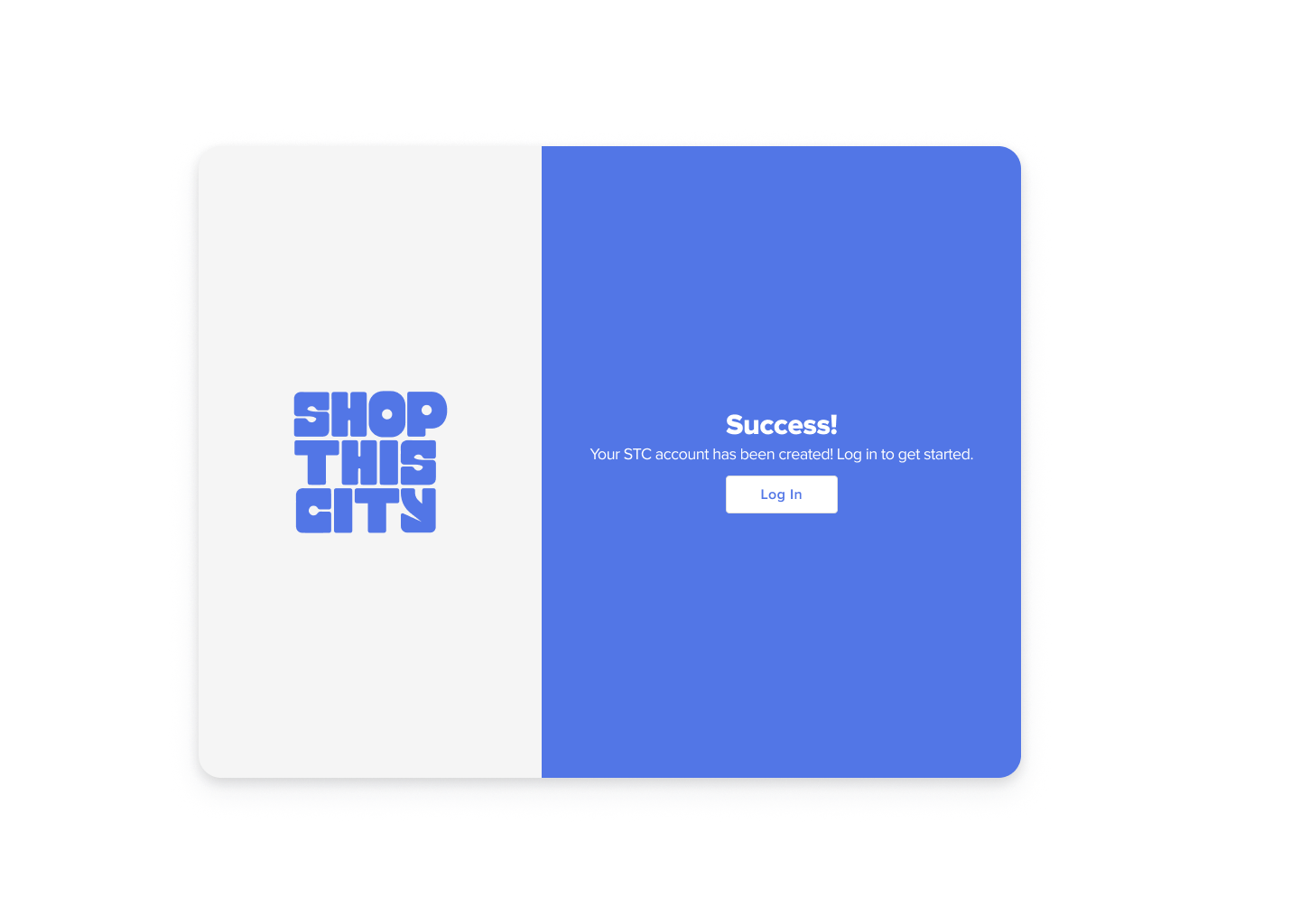
Step 6.
Once you’ve successfully created your account, click ‘Log in’ and enter your details to sign in.
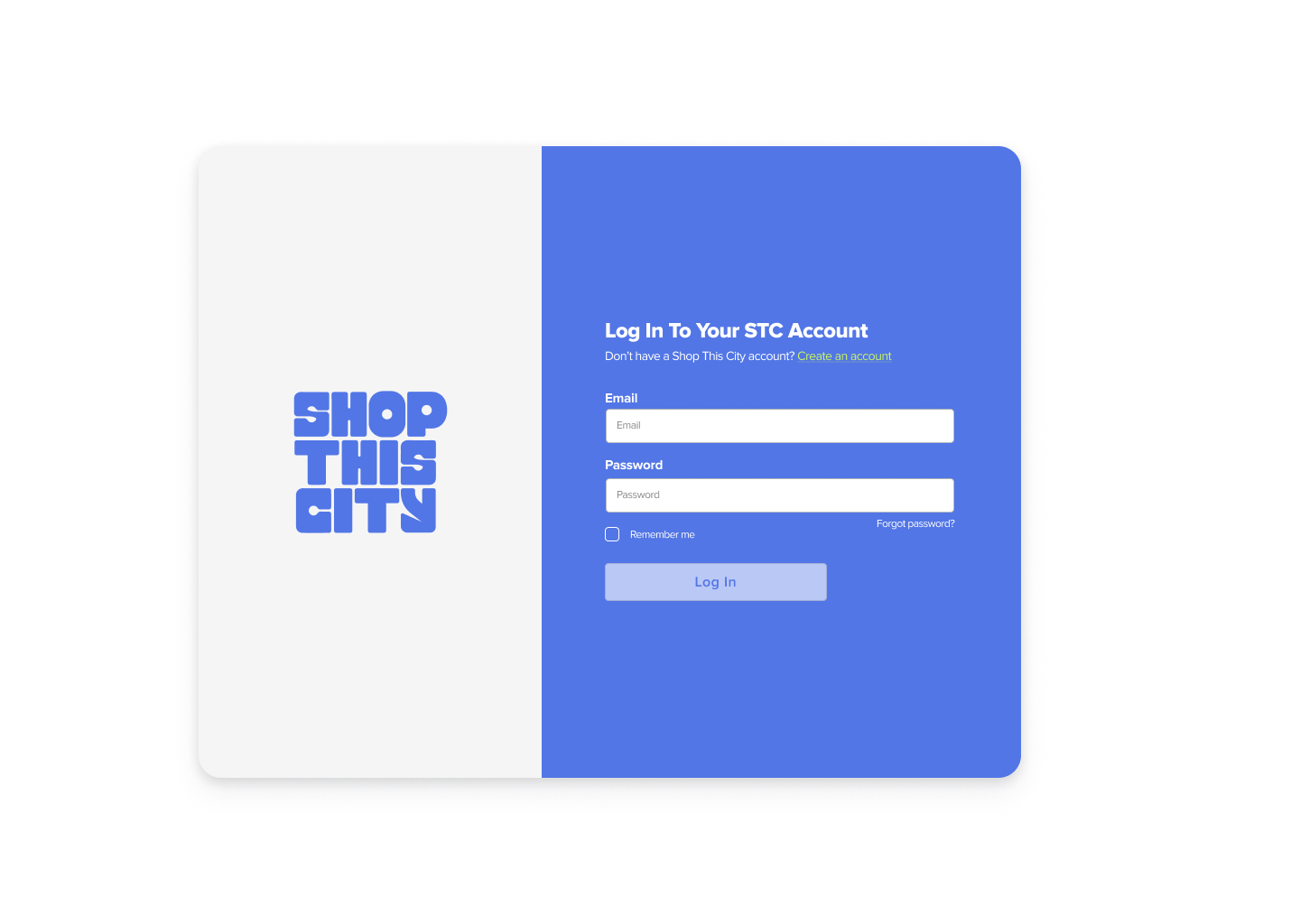
Step 7.
That’s it! Thank you for installing Shop This City. We’ll contact you with further details on how to get started with STC.